Trim your MP3s down to exactly the part you need.
Open a track, mark your start and end points, preview the cut, and save a new file — all in one small Windows app. Nothing uploads anywhere; everything happens on your own machine.
Open any MP3 instantly
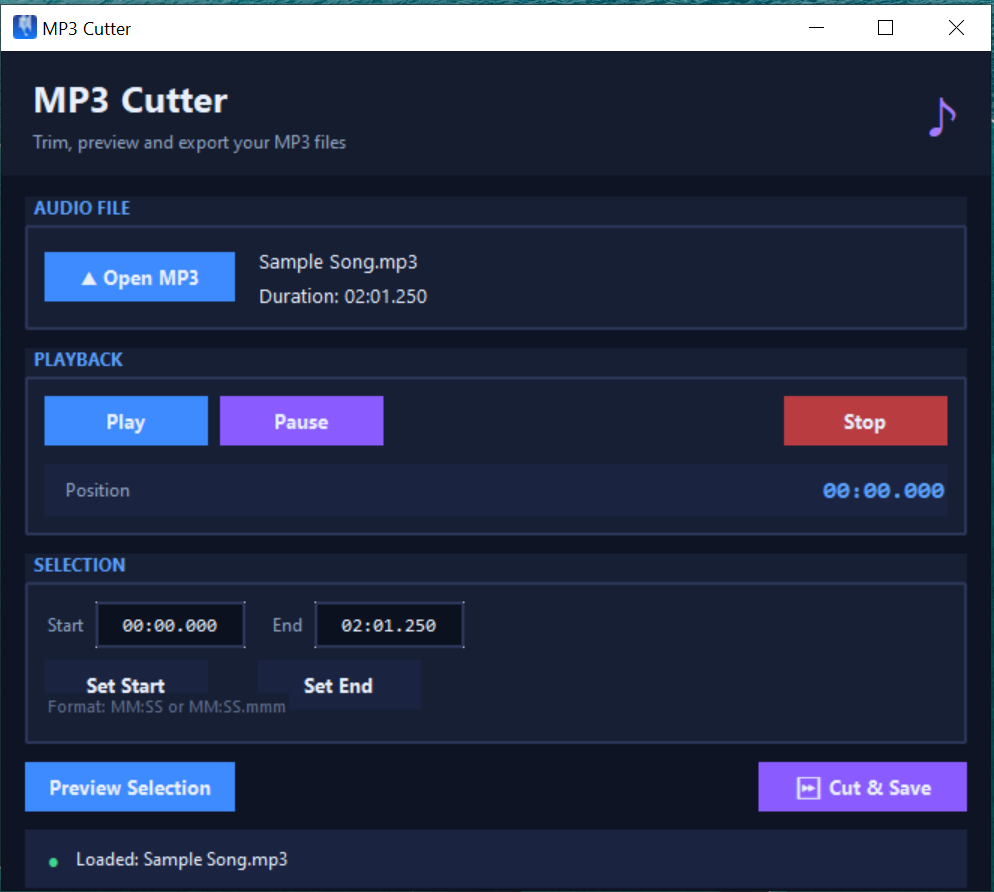
Pick a file and MP3 Cutter immediately shows its filename and exact duration — no waiting around.
Type or set precise timestamps
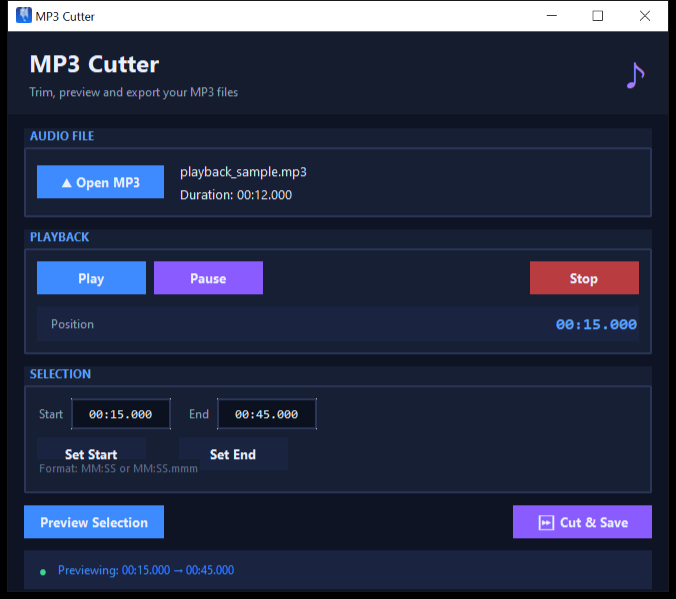
Enter a start and end time directly (MM:SS or MM:SS.mmm), or play the track and click "Set Start" / "Set End" at the right moment.
Preview before you save
Hit "Preview Selection" to hear exactly the range you're about to cut — no guesswork, no surprises.
Frame-accurate cutting
Cuts are encoded with the libmp3lame encoder at high-quality VBR (roughly 190 kbps) for clean, accurate trims.
Your original stays untouched
The trimmed audio always saves as a brand-new file — MP3 Cutter never overwrites or modifies the file you opened.
Works completely offline
FFmpeg is bundled directly into the app. No separate installs, no PATH configuration, no internet connection needed.
1. Open MP3
Click "Open MP3" and choose the track you want to trim.
2. Set start & end
Type your timestamps directly, or play the track and use "Set Start" / "Set End" at the right moments.
3. Preview the cut
Click "Preview Selection" to hear exactly what you're about to save.
4. Cut & Save
Click "Cut & Save" and a new trimmed MP3 lands next to your original — which stays untouched.
- OS: Windows 10 or later (64-bit)
- Install: Single standalone .exe — no Python or separate FFmpeg install needed
- Internet: Not required after download
- Disk space: Around 120 MB (FFmpeg is bundled in)
Trim as many MP3s as you like. One payment, yours for good — no subscription.
No reviews yet.
Be the first to share your experience with MP3 Cutter after trying it out.
Does this upload my audio files anywhere?
No. Opening, previewing, and cutting all happen locally on your machine using the bundled FFmpeg engine. Nothing is sent to a server.
Will it overwrite my original file?
No. The trimmed section is always saved as a separate, new MP3 file. Your original file is never modified.
What audio quality do I get after cutting?
Cuts are encoded with the libmp3lame encoder at high-quality VBR, roughly 190 kbps, which keeps the trim accurate at the frame level without noticeable quality loss.
What if I enter an invalid start or end time?
MP3 Cutter validates your timestamps before cutting. Invalid formats, a start time at or after the end time, or an end time beyond the file's duration all show a clear on-screen message instead of failing silently.
Do I need to install FFmpeg or Python separately?
No. FFmpeg is bundled inside the application, so there's nothing extra to download or configure — just run the .exe.
Is this a subscription?
No — it's a one-time purchase of $0.99. You keep the app for good.
Looking for something else? Check out SnapIt for screen capture, or see all SmartyApps tools.