Screen capture that gets out of your way.
Full screen or a selected area, marked up and copied to your clipboard before you've even switched windows back. No accounts, no cloud upload required.
Full & area capture
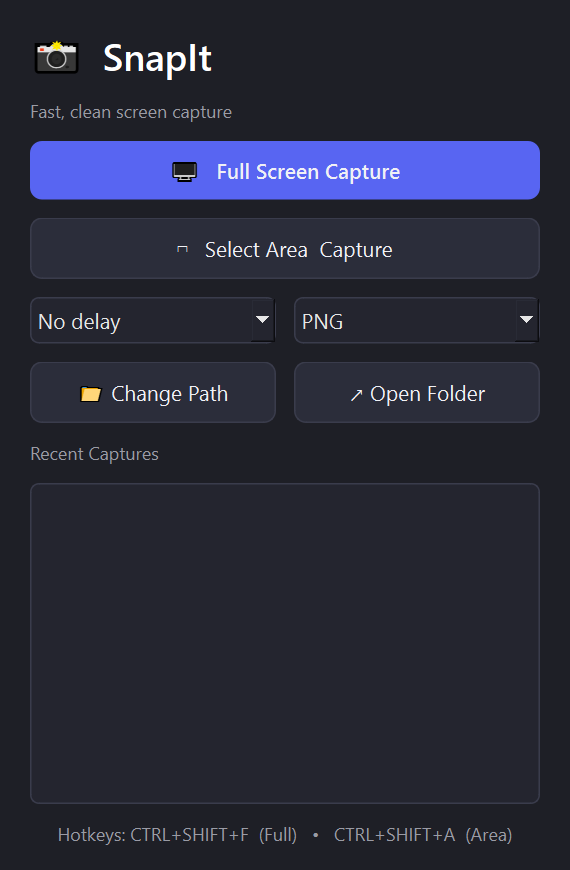
Grab the whole screen or drag to select exactly the region you need, with a live width × height readout as you drag.
Global hotkeys
Ctrl+Shift+F for full screen, Ctrl+Shift+A for area — work from anywhere, even while SnapIt is minimized to your tray.
Built-in markup editor
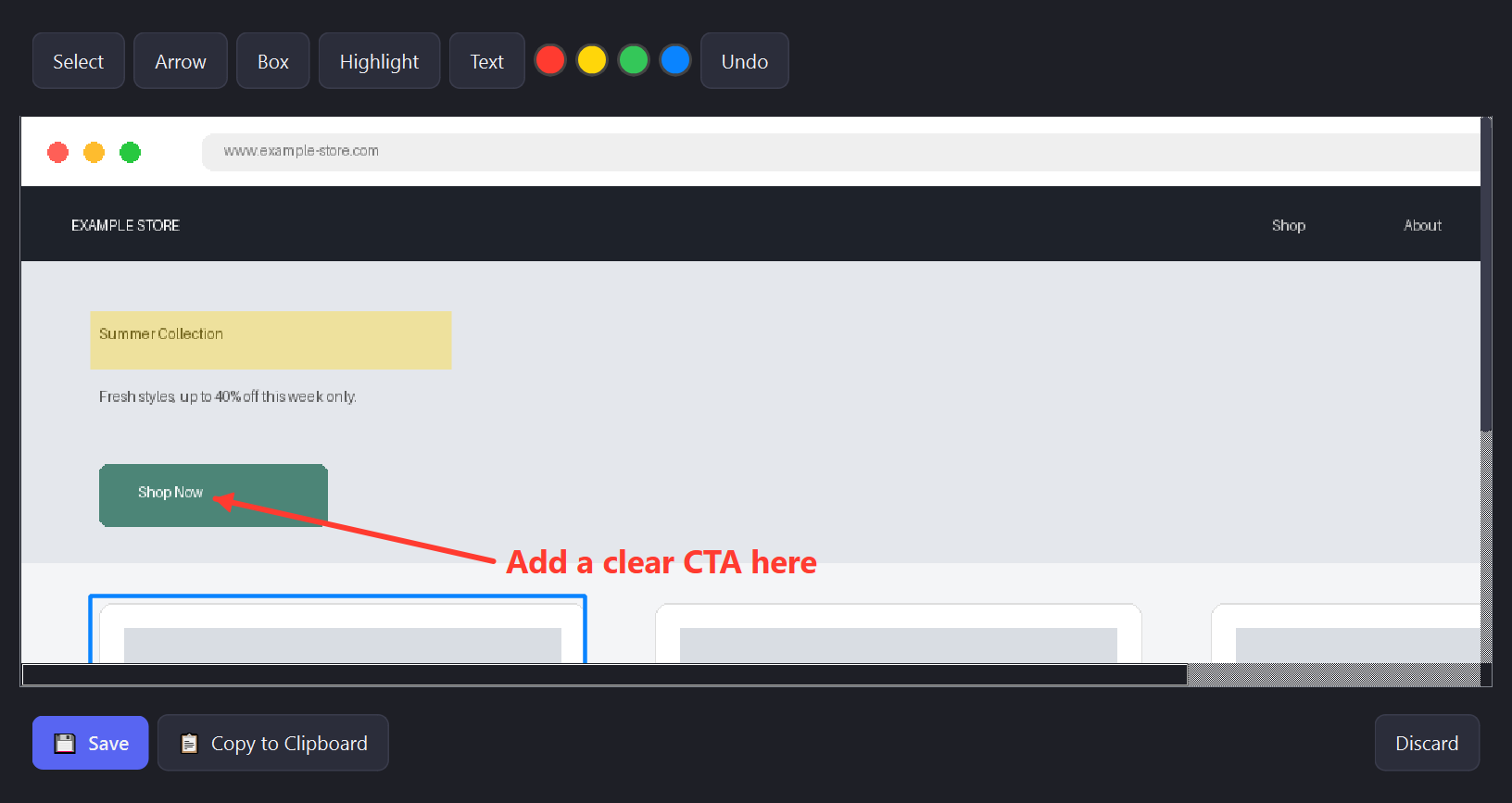
Every capture opens for review first. Draw arrows, boxes, and highlights, or drop in a text label, before you save or share.
One-click clipboard copy
Paste your annotated screenshot straight into an email, ticket, or chat — no need to attach a file.
Delay timer
Set a 3, 5, or 10 second delay before a full-screen capture fires, so you can open a menu or trigger a hover state first.
Capture history
Your last 20 screenshots stay one click away in the dashboard — no digging through folders to find what you just took.
All features, no subscription, ever. One payment, yours for good.
1. Download
Grab the Windows installer above and run it — takes about a minute.
2. Open SnapIt
It starts in free trial mode automatically, no sign-up required.
3. Have a code?
Click "Activate License" in the dashboard, paste your code, and click Activate.
4. You're set
Unlimited captures from here on — no trial limit, no further steps.
Does this upload my screenshots anywhere?
No. Everything — capture, markup, save — happens locally on your machine. Nothing is sent to a server unless you personally choose to share it somewhere afterward.
Does it work on multiple monitors?
Yes — full-screen capture covers your entire desktop across all connected monitors.
Is there a limit to how many screenshots I can take?
No limit once activated. Downloading directly from this site gets you a free trial of 75 captures before you need to buy. If you're activating with a code from AppSumo (or another marketplace), just enter it after installing to unlock unlimited use right away — no need to burn through a trial first.
Is there a contract or renewal fee?
No — this is a one-time purchase for lifetime access. No subscription, ever.